Connecting Care Receivers to Their Next Care Provider
Book a verified care provider with standard or enhanced DBS checks to provide your care, then negotiate the cost directly with the provider.
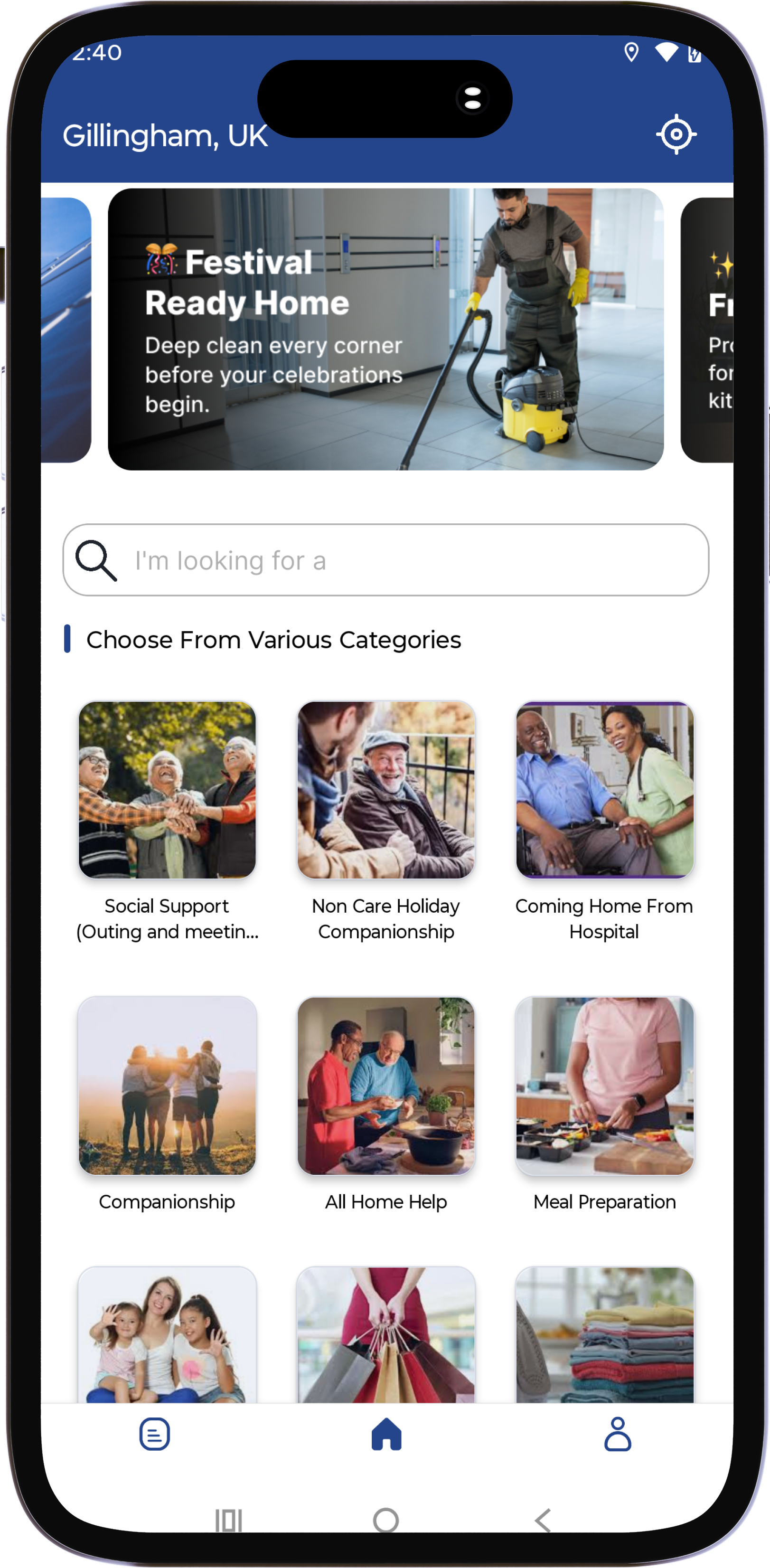


Everything for Care Services in One App
Built for families seeking trusted, personalised care and professional carers delivering compassionate support with confidence.
Live Arrival Tracking
Track your Carer's journey with real-time location updates and accurate arrival estimates.
Trusted Care Verification
A secure OTP check confirms every care visit, providing safety and peace of mind for families and providers.
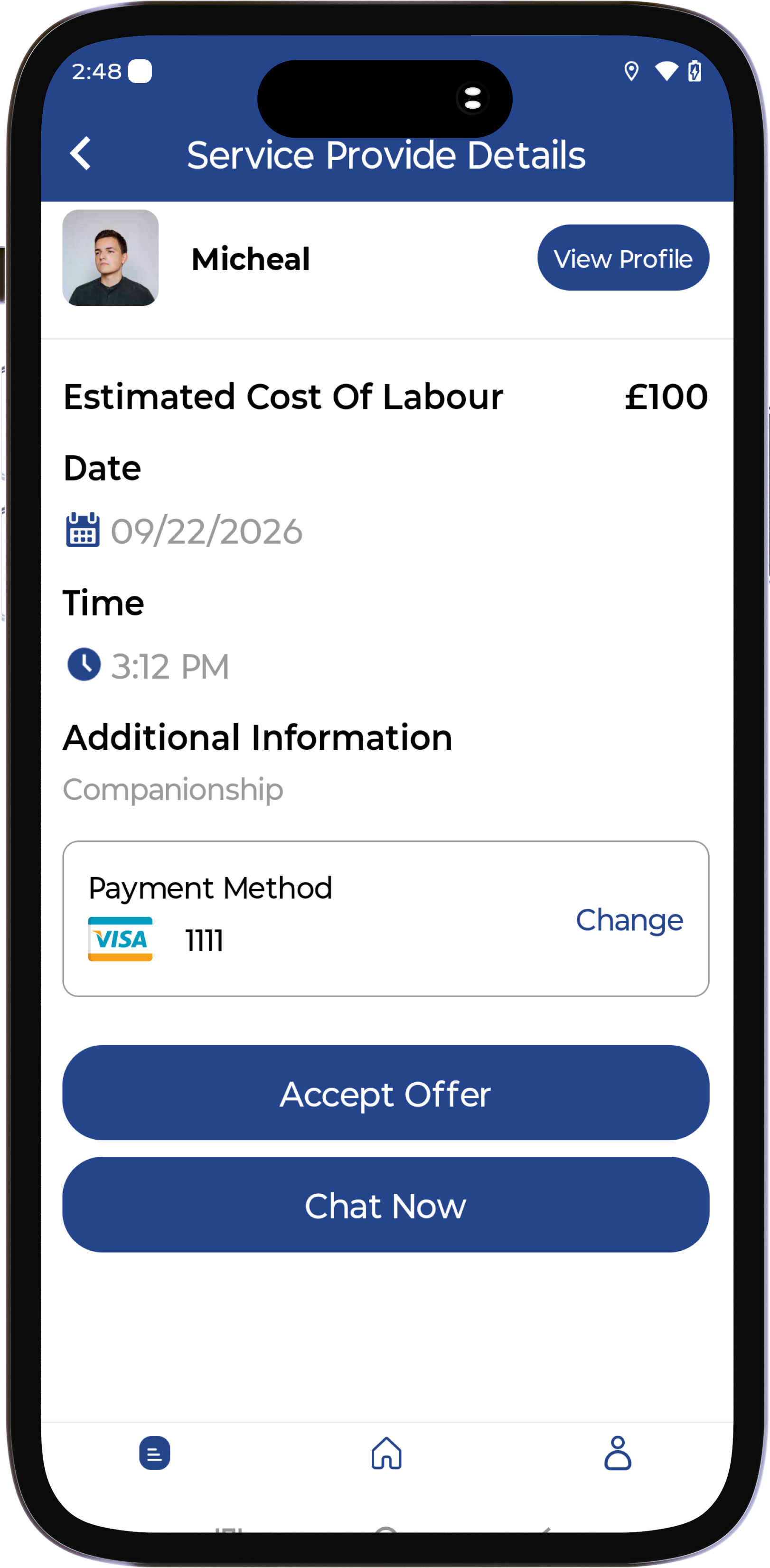
Care Booking Made Easy
Choose your care service, select your preferred time, and connect with a trusted Carer (Provider) in minutes.
Care Visit Updates
Carers (Providers) share time-stamped updates and photos, giving families confidence and visibility throughout every care visit.
Flexible Care Payments
Pay securely, view transparent care costs, and manage your payments easily in one place.
Complete Care Visibility
Track every stage of the care journey, from booking and carer arrival to completed care and confirmation.
Ready to Book Trusted Care?
Download the I-Care Connect Receiver App to book care, track your provider's arrival, and manage each visit with confidence.
Support for Every Care Journey
I-Care Connect brings care receivers, families, and trusted care providers together with secure booking, clear visit tracking, and transparent communication from request to completion.
Choose the care service you need, share your requirements, and stay connected while your Care Provider delivers personalised support.
Care Services Covered
- Personal Care
- Companionship
- Home Support
- Scheduled Visits
- Family Updates
- Verified Providers
Book Care in 4 Easy Steps
Find trusted Care Providers, schedule support, and manage your care journey all from one simple platform.
Create Your Account
Sign up securely as a Care Receiver or Care Provider and set up your profile.
Add Care Details
Provide your care requirements, schedule, location, preferences, and relevant information to help match you with the right Care Provider.
Request Care Support
Choose the care service you need, share details, select a time, and connect with a trusted Care Provider.
Complete Your Care Journey
Follow your Care Provider in real time, confirm the completed service, and share your feedback or provide ratings.
Quality Care, On Your Terms
Book trusted care, manage appointments, track care visits, and stay connected with your Carer (Provider) all from one simple app.
Manage Care, Every Step
Care Providers can accept requests, manage visits, update status, and provide trusted support seamlessly.
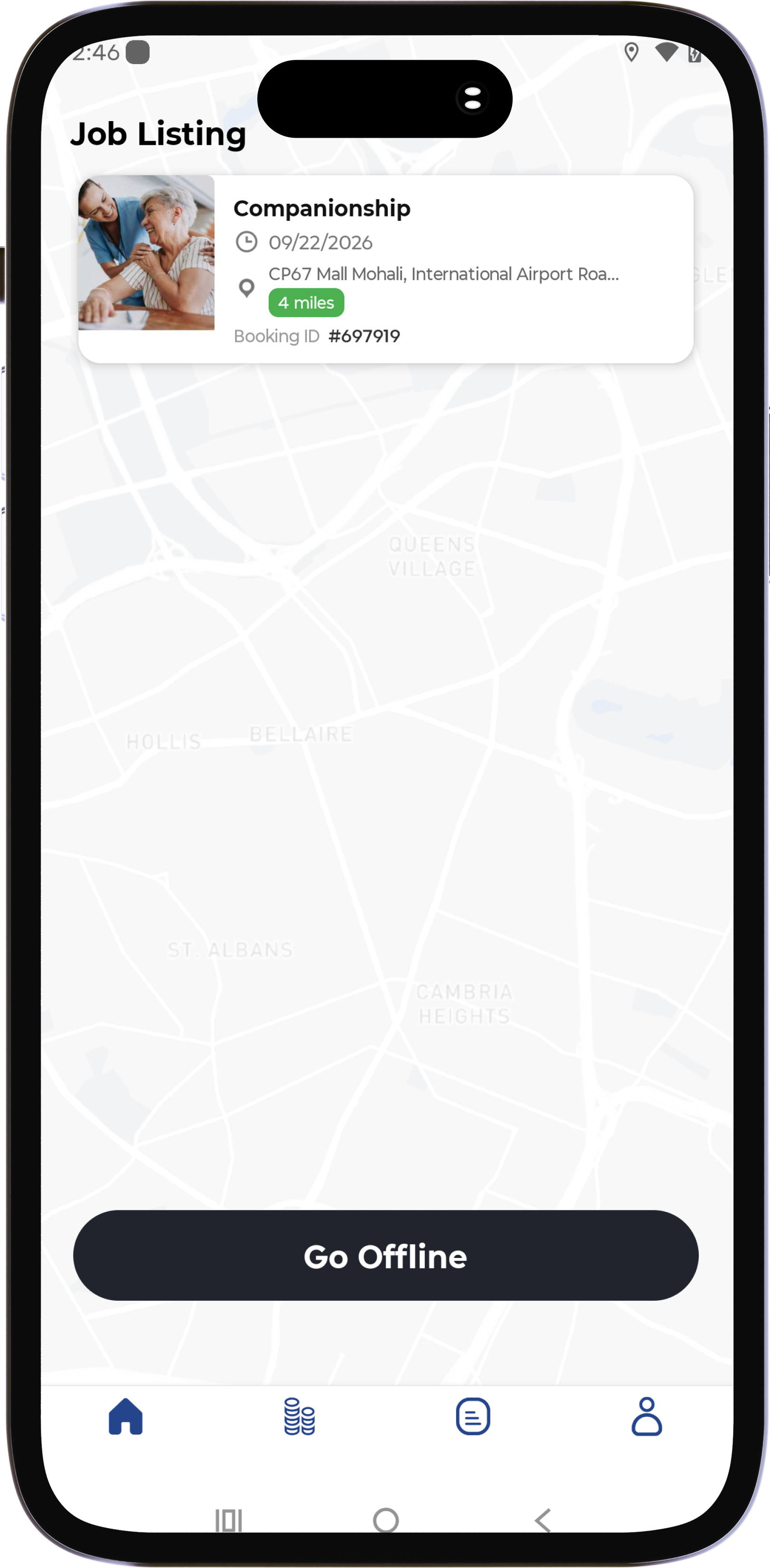
Why Provide Care With I-Care Connect?
Trusted by Care Receivers & Care Providers
I-Care Connect connects families and Care Providers through a simpler, safer, and more transparent way to access and deliver care.
I-Care Connect helped me find trusted care quickly. I could book support, track the visit, and stay informed the whole time.
The provider app helps me manage care requests, update visit progress, and support care receivers with confidence.
It gives our family a simpler and more transparent way to arrange care and know what is happening during each visit.
Quick Answers Before Your First Booking
Get the essentials on care bookings, payments, verified providers, cancellations, and support.
What services can I provide through I-Care Connect?
I-Care Connect allows service providers to offer a variety of services, including Social Support, Meal Preparation, Companionship, Home Help, Transportation Assistance, Personal Care, and other community support services.
How do I receive new service requests?
When a client books a service that matches your profile and availability, you will receive a notification in the app. You can then review the request details and accept or decline the booking.
How do you sign up as a provider?
Download the App from Apple or Android Store
How to SignUp
* Open the App and click on signUp.
* Fill Out the signup form.
* Upload your KYC Details.
* Update Vehicle/Keke Details.
* Submit and wait for approval.
Once the Account as been Approved.
* Login to your account.
* Allow Location Access.
* click on Go Online.
* wait for incoming requests.
How to Accept Incoming request
You will receive a Notification.
* New request Notification.
* Accept request.
* Click Arrive once arrive location.
* click on Start to start the trip.
* Request OTP from the user and submit.
* Click Complete once done.
* Rate User to continue to the Next request.
More Details
* Click on Wallet to see the current balance.
* Click on Payment Details to Update your Account Info.
* Click on Earning to see all earnings from past jobs done.
* View All Present and Past Job.
* Click on Home Icon to return.
How do you sign up as a user?
-Sign up using your mobile number.
- An OTP will be sent to your phone.
- Or Sign up with your social login (Facebook, Gmail or Apple ID)
- Fill out the registration form.
- Sign in and off you go
Download I-Care Connect
Linking care receivers with trusted Carers. Choose your app and get started in minutes. Care receivers can find and book verified care providers, while Carers deliver personalised care with confidence.
🔒Free to download • Secure signup • Provider arrival tracking